s

p

Google+ - what is it and how to get started using it


Google+ is Google's social network and it has become my preferred social network. Facebook has gotten too political, although I do use it to keep in touch with friends and family. Twitter is great, but Google+ offers so much more - photos, videos, animations, longer postings and comments.

It is a thriving community, with people and groups for all interests, including education and technology.

If you aren't on Google+, check it out. Here are some resources.


Related Articles:
Google Plus - tips for using in education, facts and data infographic

Social Media Guide and Resources for Educators

Tools for Changing/Improving PD and Meetings


Professional Development and Faculty Meetings are typically held face-to-face and many times are longer than they need to be, or too much time is spent on things that only affect a small percentage of those present. There are some tools and resources that can be used to change how and when PD and Meetings are held.
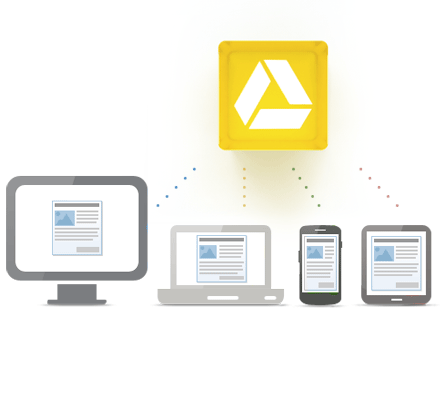
Access everywhere
1. Google Docs/Google Drive - use Google Docs for meeting and PD agendas and shared resources. Participants can edit it in real time, or offline, for collaboration and meeting notes and minutes. Share the agenda ahead of time. Don't print things anymore.


2. Google+ - use Google+ and create a Circle for your PD or meeting groups and hold online discussions, post resources, and more, all online.


3. Google+ Hangouts - use this video conferencing tool to hold virtual meetings and training sessions.


4. Evernote - use Evernote to take meeting notes, prepare resources for PD, and then share all of that with others. Limit paper and make it easier to share resources.


5. Edmodo - Edmodo is a closed, private social network. You can set up groups for meetings and PD and share resources, have online discussions, and more using it.

edcamp
6. EdCamp model - the Edcamp model puts the participants in the driver's seat for PD (and meetings) and allows for PD to be more meaningful.


What ideas and resources do you use for meetings and PD?


Google Plus Hangouts on Air feature now available to all users


Google+, Google's social network, has some great features that other networks don't have. One of them is Hangouts. Hangouts is a multi-person video conferencing system that is free. You can host virtual meetings, help and study sessions, or just chat with family. Google had added the ability for a limited group of people to be able to broadcast their Hangouts to the world.

Google has just announced that Hangouts On Air is now available to all Google+ users worldwide. It will be a gradual rollout though so the system doesn't get overwhelmed all at once.

With Hangouts on Air, you will be able to broadcast yourself publicly to the entire world, see how many viewers you have, and even record and reshare your broadcast. The public recording will be uploaded to your YouTube channel and to your original Google+ post.

This is a great way hold meetings, study sessions, online conferences (which Google did last week), and much more, and have the Hangout recorded for future replay and use.

Here's a video on getting started with Google+ Hangouts on the Air:


Source: Official Google Blog

Related:

Google Plus - tips for using in education, facts and data infographic

31 Great Ways Universities are Using Google+ - apply to K12?


I just read an article entitled "31 Great Ways Universities are Using Google+" and was thinking that K12 could, and should, do many of these. Each way has a link to more information and ideas for that topic.

Google+ is an excellent resource for education, educators and students. It allows for communication, collaboration, sharing and so much more.

Some of the ideas from the article that I think K12 can also use include online meetings, online help sessions with students, increased and improved communication among staff, faculty, admin, students, and parents, student feedback, extracurricular activity communication and collaboration, class conversations, posting of student materials and resources.

Check out the article and see some great ideas for using Google+ in Education.


Related:

Google for Educators Resources, tips, links, lesson ideas, help, and more

Google Plus - tips for using in education, facts and data infographic
Google+ - More Reasons its great for Education

Google+ and Google+ Pages - great for educators and schools

10 Ways to Use Google Plus in the Classroom

Teaching with Google Plus - tips and resources

Twitter, Google Plus, Facebook - a nice comparison

Google Plus now open to Teens, with safety features