s

p

Google Slides now available offline!


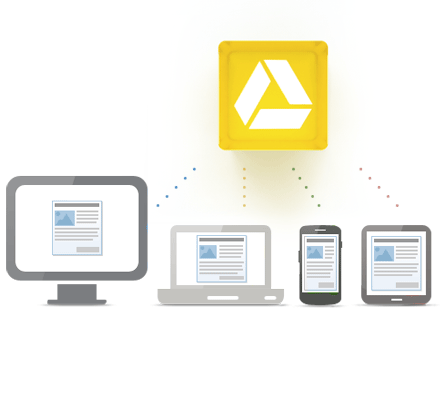
Google Docs/Drive is a great, free resource that allows you to create, edit, share, collaborate on, and comment on Documents (Docs), Spreadsheets (Sheets), and Presentations (Slides), all online. Think Microsoft Office in the cloud with some other great features.

I use Google Slides (Presentations), the equivalent of PowerPoint, for all of my presentations. I like the features it has and like that I can easily share it online and people will always be able to see the newest version. One downside was that you needed an internet connection and some conferences I have presented at can have WiFi issues due to all of the devices being used. I would always save a copy of my presentation as a PDF file to my laptop in case I didn't have a good internet connection. That is no longer necessary.


Google has announced that Google Slides will now be available with offline support. You can now create, edit, comment, and present your Slides presentation without an internet connection. When you get an internet connection, your new presentations or changes will be automatically updated online. Docs has had this for a while already.

This is a great feature that makes Slides even more useful, along with Chromebooks, for people who need to work on, or present, their presentations where they may not have WiFi. It's also great for schools who issue Chromebooks to students that may not have internet at home. Our district is going with Chromebooks and student internet access at home is a concern. That is less of a concern now.

To enable offline Docs/Sheets/Slides, follow these instructions. If you already have offline enabled for Docs, you are all set. In order to use the offline feature, you will have to use Chrome browser or Chrome OS.

Google is currently working on offline support for Sheets as well.

Offline support has been the one reason I see many people stating as why they won't or can't go with Google Drive/Docs and Chromebooks. That reason is disappearing.


Related:

Google for Educators Resources



cloudHQ - sync Google Drive, Dropbox, Evernote and more


cloudHQ logo

cloudHQ is a unique service that, while not free, offers a very useful service. It allows you to backup and sync files between Google Drive, Dropbox, Sugarsync, Box, Basecamp, and Evernote. You can sync your notes and files between Basecamp, Dropbox and Evernote, back up your cloud data, and even synchronize docs and notes between Google Drive and Evernote in real time.


 Google Drive dropbox sugarsync box   


cloudHQ continuously syncs all of your files between your different cloud services in real-time. 

This is very useful for backup and security, along with making files more accessible to others who need to use them, and even turning your Evernote notes into collaborative Docs in Google Drive. 

The personal plan is $4.90 per month, or $49 per year. There are also premium and enterprise accounts for higher fees, with more features. 

While not free, this could be a very useful service for many people who use a variety of cloud services. 
Google Docs is excellent for collaboration. Evernote is perfect for note taking, web clips, etc.

Sync all your Evernote notes and Google Docs documents. So all your Evernote notes can be Google Docs and all your Google Docs documents can be in Evernote. It really simplified everything - because you can start something as a note and migrate into Google Docs for collaboration. Or you can think about this setup as a backup: Google Docs is backup of Evernote and Evernote is backup of Google Docs.
sync evernote and basecamp


Disclosure: I was not compensated in any way for this post. I just feel that this could be a useful tool for many people. 


Google Drive comes in handy during Power Outage


Google Drive is Google's online file storage system and the way you access your Google Docs, Spreadsheets and Presentations.

One of the really great features it brought was syncing of your docs and files onto your computer for offline access. This came in really handy for me last night.

I came home to find that our condo building had no power due to an underground power line failure. I had a few things I still needed to work on and there was no WiFi. I could have used my smartphone as a hotspot, but I wanted to save my phone battery for an emergency. My Chromebook, with built in 3G, was at school. Luckily, I have Google Drive on my laptop at home and was able to access all of my Google Docs offline. Once the power came back on, the changes I made synced with my Google Drive account and were available to me later.

Thanks Google Drive!


Access everywhere


Google Spreadsheets adds Discussions for easier collaboration