s

p

Great list of app based on task you want students to accomplish


I found this great list of apps and tech tools that are organized based on the task you want students to accomplish. It was out on  Twitter and I can't find the original tweet. What do you want to do...?There's a tech tool for that. pic.twitter.com/kWFciWylLP


Class Dojo real-time behavior feedback platform Apps get updates


ClassDojo is a free online system that helps teachers promote positive behavior in their classroom by letting them track and share student progress and positive behaviors and areas of concern. It's easy to use and many teachers who use it have seen positive outcomes from using it with their students.


They had launched an iOS app this past September, and an Android app after that, to help teachers be able to use their tool while moving around the room, and even access it when not in the classroom. They have just announced an update to their iOS and Android apps to make them even better and more useful for teachers and students.


The full press release is below:


ClassDojo Mobilizes More Teachers to Build Students’ Character Anywhere with Version 2.0 of its Popular iOS and Android Apps

ClassDojo 2.0 now lets teacher manage, edit, share and sync up their students’ behavior reports from their mobile devices
SAN FRANCISCO – August 15th, 2013 - Today, ClassDojo, the free behavior development platform for teachers, students , and parents, is launching a major update - version 2.0 of its mobile apps for iOS and Android. ClassDojo, already used by over 15 million teachers and students in over 80 countries worldwide, will now offer teachers the full suite of ClassDojo’s web functionality on mobile devices, including setting up and customizing their classes, taking attendance, viewing progress reports, and inviting other teachers.

Download the iOS app here: www.classdojo.com/ios and the Android app here: www.classdojo.com/android

The original ClassDojo app was intended to be a lightweight ‘remote control’ for the website, making it easy for teachers to give students positive feedback on their behavior in real-time within their classroom. There were significant limitations, including the inability to customize classes, view reports or even set up a class. In effect, the app made teachers somewhat dependent on the web application to fully manage their classrooms. ClassDojo’s new iOS and Android apps will offer the full set of ClassDojo’s experience.

Now that roughly two in three teachers have a personal smart device, more teachers can access ClassDojo’s full set of experiences without using a laptop or desktop computer. For many teachers working at underfunded schools with limited school technology resources, this means for the first time they can use ClassDojo with their students to reinforce positive behaviors like persistence, curiosity, and teamwork - and indicates great promise for ClassDojo’s continued ubiquity.

The new version also allows teachers to give behavior feedback without needing to have a Wi-Fi connection (although they still need network coverage). This new feature meets one of teachers’ biggest needs: to be able to use ClassDojo in settings outside of the classroom - for example, in lunchrooms, the playground, on field trips, and even just in classrooms with poor Wi-Fi connections.

Today’s news reflects the company’s continued learnings about the ed-tech market. Classroom adoption of mobile devices is growing quickly, as is evident with the recent news that Apple partnered with the Los Angeles Unified School District to provide students 640,000 iPads. Accordingly, the company has built out its mobile capabilities to allow its mobile development to parallel its web efforts.

“For many teachers and in particular for students, education is now a ‘mobile first’ environment, and we’re excited that ClassDojo is leading the charge,” says Sam Chaudhary, co-founder of ClassDojo. “Our new mobile apps build upon our mission of helping teachers, parents, and students develop the behaviors and character strengths that are essential for lifetime success. Real-time reinforcement of positive behavior, especially when provided consistently across contexts, helps build the character strengths that influence students’ academic and lifetime success.”  

ClassDojo’s mission is to address the ‘other half of education’ that goes beyond just building good test scores, to actually helping students develop the character strengths that are essential for lifetime success. The company is a graduate of the ‘Y-combinator for education’, ImagineK12.

About ClassDojo:
ClassDojo is a real-time behavior feedback platform used by millions of teachers, students and parents to build specific positive behaviors like persistence, curiosity and teamwork at school. It helps teachers solve the most painful problem they face teachers: improving student behavior. It enables teachers to easily conduct their lesson and improve student behavior by providing students with visual and audio feedback triggered using a smartphone, tablet, or computer; it engages parents and students to effect changes in behavior outside of the classroom as well.

About the founders:
Sam Chaudhary worked as a high school teacher and McKinsey & Co education analyst, and has a degree in Economics from the University of Cambridge. Liam Don was an MMO game developer at Runescape (Jagex), and was doing a computer science PhD in Education Technology, which he left to start ClassDojo. ClassDojo was early-stage seed funded by the incubator ImagineK12.


Osy Osmosis - fun game that helps teach about osmosis

Osy Osmosis

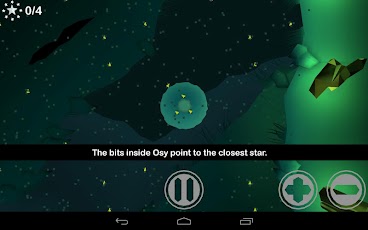
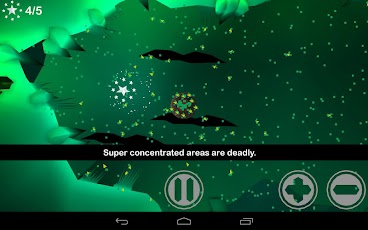
Osy Osmosis is a fun, educational game where you help Osy stay safe as she navigates through a very cool world collecting stars. The trick is to use osmosis to keep her in balance.

The game is not free ($1.99) but is very good, very fun, and educational. It was developed by researchers and educators and profits go towards creating other educational games.


It could be used as a great way to help teach osmosis in a fun way.


Osy Osmosis HD - IS3D-Online Android app on Google PlayAndroid app on Amazon


Google Field Trip - app that finds info about where you are


Field Trip

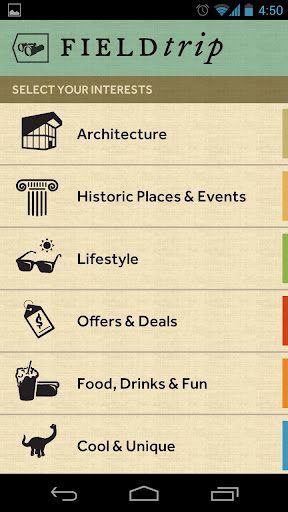
Google has a cool new app for Android, called "Field Trip". It helps you find things about what's around you. It runs in the background and when you get close to something interesting, it pops up with details about that location. You can use it to learn more about historical locations, buildings, stores and restaurants and more. It takes information from a variety of sources, along with your location data, to produce these results.


This would be a great app to use with students, as they could explore their own school and neighborhood for interesting locations. It would also be great on real field trips to find out more information about where they are. You never know what they, and you, might find that's interesting or cool.

It's free on Google Play. Go get it and explore your world.


Related:

Android Resources for Education 


LearnMe Calendar - help young students learn about calendars and dates


LearnMe Calendar is an app that helps young students learn about calendars. It is touch based and interactive and is very easy to use. As the students work through using the app, they learn more about today, tomorrow, weeks, months, holidays and more. There are educational games built in to help students learn.

It works like a regular calendar, allowing students to add events, navigate around a week or month or year, and adds other features, like a drag and drop game for US Holidays, matching game, and a test. 


It was easy to install and use and is a great resource for young students to learn about calendars and dates.

It is available for Android and iOS for $2.99


CamScanner - great app to scan paper docs using smartphone camera


CamCard

CamScanner is a great app that I use quite often. The app is available for iOS and Android and the free version is very useful. The paid version, $4.99 on both platforms, adds some useful features, like uploading directly to Evernote. You get a 7 day trial of the paid version free, and can get an additional 60 day trial by sharing it on social networks.

The app allows you to take a picture of a paper document, crop/clear background/improve quality, and then save it as a PDF file. Take a picture of important documents, meeting agendas, whiteboards, and more and save them as PDF files for future reference and use. You can add tags to the files too, and search text in the scanned picture. You can then share the file to cloud services like Dropbox, Google DocsEvernote, and more.


This app turns your smartphone into a scanner and document processor. Give it a try.

Google Play Store

Apple App Store


Google Translate Android App has ability to translate words in a picture


Google Translate

Google Translate is a great app for translating written words and even supports translating spoken words (and it will speak it in the other language). This is a great resource for teachers and ESL/ELL learners. And, it's free.


There was a recent update to the Android app for Google Translate that makes it even more useful. You can now translate text in images using the smartphone's camera. Open Google Translate app, click the camera icon to take a picture, and then highlight what you want translated, and viola, translated. This is very useful for ESL/ELL students, as well as travelers. Some other updates include the ability to specify preferred dialects for speech input, instant, as-you-type translation similar to the Google Translate web interface, and improvements to the way Japanese characters are handled


My Favorite and Most Used Tech, Apps and Extensions


Every year people ask me what my favorite tech tools, apps, and other resources are and what I use on a daily basis. Every year, this changes a little bit. I just had someone ask me for a list of what I use the most and what my favorite Ed Tech resources are, so here you go. There are also some other great resources in the "Related" links at the end of the article.


Evernote - Evernote, an electronic notebook with lots of great features, is my main tool. I have lesson plans, lesson notes, lesson resources, research, travel info, recipes, lesson schedule, meeting notes, attached files, clippings from web sites, to do lists, personal references, tech resources and instructions and so much more. It is the main app I use for almost everything. This year I am using Evernote with my students.


Dropbox - Dropbox is a great file sync, backup, and sharing service that you can use for free. The rest of the files I need to use that are not in Evernote or Google Drive are setup in my Dropbox so that they are synced on my home and school computers and my smartphone. I can access my files from any web browser also. I never have to worry about losing a flash drive or forgetting to copy or email myself a file.


Google - I know this is kind of vague because Google has so many services, but I use a lot of them. Blogger for this blog and my class blogs, Sites for my class website, Gmail, Google+Calendar, Google Drive and Docs, search and so much more. Here's more on Why I use Google Products as an Educator.

Here are lots of great Google for Education resources and tips.


Google Chrome is my browser of choice. It's fast, secure, easy to use, has great extensions and bookmarklets, and just works great. I have it automatically open up my most used tabs: Gmail, Google Calendar, PowerTeacher, Blogger, Tweetdeck, Edmodo and Evernote. I also have bookmarklets for saving pages into my Google Bookmarks, accessing school systems, and much more.

Extensions:
Evernote Clipper - clip web pages and articles into my Evernote notebooks for reference or sharing with students. 

Goo.gl URL Shortener - shorten web page URL's for better sharing and tracking of sharing.

Webpage Screenshot - take screenshots of web pages, edit and format them, and save them.

Evernote Clearly - clean up a web page for easier reading and clipping.

Shorcuts for Google - one click link to all of Google's different apps and services. 

Aviary's clipping extension for Chrome to clip graphics from the internet and edit or modify them for both my edtech blog and lesson plans and resources.


I use Tweetdeck in Chrome browser to access my PLN on Twitter. It is easy to use and has great features like multiple columns and scheduling of tweets.


Edmodo is a free, learning management system that is full featured and easy to use. I'm using it for the first time this year with my students to share resources, have online discussions, post assignments, and offer online help. Here's more about my adventure with Edmodo


PowerTeacher

PowerSchool and Power Teacher - our district uses PowerSchool for attendance, gradebook, and other student information. Students and parents can access it and see their grades and attendance any time they want. It is accessable from any web enabled computer and you can generate multiple reports and export the data if needed.


Discovery Education Resources - these resources allow teachers to find lesson resources and even create lesson resources and provide engaging materials to use with students. I also use the Streaming Plus multimedia resource and the Science Techbook.


Android Smartphone - with my Android Smartphone, I can access all of my materials and resources, all of the apps and resources listed above and even control my computer with SplasthTop Remote. Android works great with all of the Google resources I use, and the Evernote app for it is awesome. 


Hardware - I have a teacher station computer in my classroom, along with 8 student desktop computers. I have a networked printer and a multi-function color inkjet printer. I also have an LCD projector connected to my computer, and a VCR and DVD player connected to the projector. I also use a Keyspan remote to wirelessly control my computer from anywhere in the room. Auxillary speakers are also a must. I also now use SplashTop Remote on my smartphone or HP TouchPad to control and access my computer from anywhere in the room.


Student Resources - students use the computers and their smartphones to access the internet for research, do virtual labs and investigations on PhET (great resource for math and science), get help on my site, get help on PhysicsClassroom, access software and services to explore and create and do their work using Blogger, Sites, Glogster, Google Docs, Evernote and Edmodo and more.


What are your favorite resources and apps? What do you use on a daily basis?


Lifehacker App Packs for Students

 The Lifehacker Pack for Students

Lifehacker is a great site with tips, information, and resources on pretty much everything, from cooking to travel to technology to education. They have a great resource called the Lifehacker Packs for Students. These are lists, with links, to great apps for students. They are sorted by operating system and then by category. There are some great apps here and it's a great place to find great apps for students all in one place. This is also an excellent resource for anyone looking for some great apps.

Check them out here: http://lifehacker.com/5933059/the-lifehacker-pack-for-students


Related:

Essential Apps and Installs for Windows, Chrome, Android

Mobile Apps and Resources for Students and Teachers


List of some Free Online Scientific/Graphing Calculators


Calculators are a necessary tool in science and math classes. But, they don't have to cost the students anything.

First, there are a ton of free calculator apps available for every smartphone (iOS, webOS, Android, BB, Windows) so any student with a smartphone or PDA can get one on there. The paid apps are usually only $0.99 - $1.99 too.

Second, there are some free downloadable calculators, such as Microsoft Math and most computers have a built in calculator.

But, free, online calculators are also a great resource for educators and students. There are calculator extensions for Chrome and Firefox that students can use on their computer or through their Google account.

Here are some free online calculators that I like:


Richard Byrne over at Free Technology for Teachers also recommends EnCalc as a great, free, online scientific calculator. 


Desmos

A Better Calculator is a new, free, online graphing calculator from Demos (who also offers a service to create online interactive media). There is nothing to download as it runs online. It is easy to use, full color, full functioned. You can share your work online or even share it with others (like your students) or students can share it with their teacher.


Google is now a graphing calculator. Enter the equation in the search bar and you get your graph. You can even do multiple functions, just separate them by a comma. You can also zoom and pan in the graphs. You can also do other calculator functions using the search bar. 


Calculator

To use Google’s built-in calculator function, simply enter the calculation you’d like done into the search box.
Example:  


Here's a screen shot of a quick one I did: y = 4x + 5


According to Google, "This feature covers an extensive range of single variable functions including trigonometric, exponential, logarithmic and their compositions, and is available in modern browsers."


Web 2.0 Calc.com - free online scientific calculator. Available on mobile browser. Can be embedded in your own website or blog too.


Math.com's online calculators - basic, scientific, square root, and more.


eCalc online calculator and math help - has an online calculator along with math help. There are also downloadable calculators, an iPhone app, iGoogle gadget, and embeddable widget for your site. There is also an unit conversion calculator.


Scientific Calculator - online scientific calculator that takes up whole web page. Makes it easier to read and use.


Save money and use free calculators instead of buying them!


Related:

Desmos - create media rich educational content online


Aviary launches free mobile app photo editor for iOS & Android


Aviary Photo Editor

Aviary is a great resource that I use constantly. I use the Falcon and Talon online image editors to grab images from the web and edit/crop/add effects to use with my blog and with lesson materials. There are browser extensions to use with the online apps and it's very powerful.

A while back, Aviary launched an add-on for mobile devices that allowed you to use Aviary within mobile apps. Yesterday they announced that Aviary is now available as a free, stand-alone mobile app for iOS and Android.


The Aviary mobile app is free and features an easy-to-use, intuitive interface with effects, stickers, color balance, crop and rotate, brightness, contrast, saturation, drawing, text, cosmetic tools and more. There are more effects available for purchase in effects packages ($0.99) and more effects and tools are being added. 

This is a great mobile tool that can be used for photo editing and effects on iOS and Android devices by teachers, students, bloggers, and for personal use, greatly increasing the abilities of your device. I now have the ability to do more of my work on my mobile device using this app. I was using it last night to edit some photos that I'm using in a project and it was very easy to use. 


 Try it out for yourself:


Related:

Aviary Falcon - online image markup

Aviary Education - safe environment for Aviary for Students
Aviary for Facebook Released - image editing app right in Facebook
Aviary Photo Editor now available to Flickr users-replacing Picnik
PicMonkey - free online photo editing (from some of the same people who made Picnik)

Great, free Image editing sites and software

Two More Free Image Editing Resources